Batis Exchange
- Call Now: (416)-848-4849
- 2354A Yonge St, Unit 1 (2nd Floor) Toronto, ON M4P 2E6
- info@batisfinancial.com

Batis Exchange
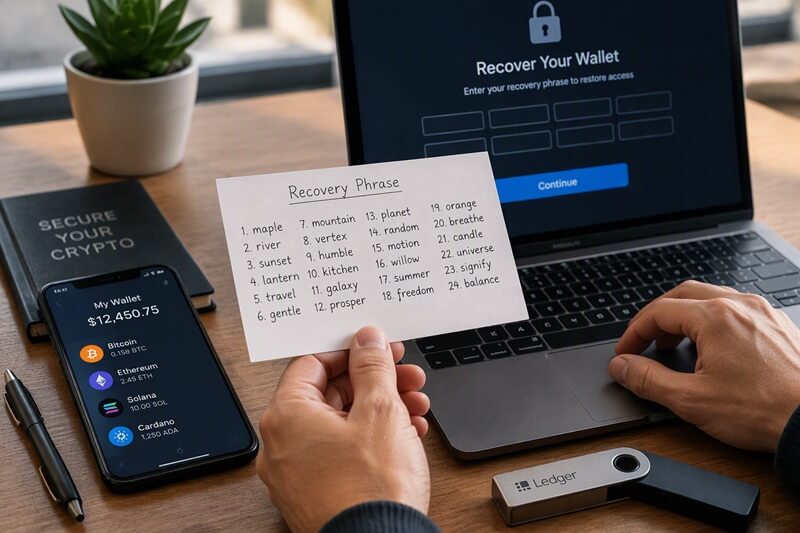
Losing access to a cryptocurrency wallet can be stressful, but recovery may be straightforward if you have the correct backup. Cryptocurrency is recorded on the blockchain, while a wallet provides the credentials needed to access and manage those assets.
Recovering a wallet means restoring control over the funds associated with it. The most important factor in recovering a noncustodial wallet is whether you have your seed phrase, also known as a recovery phrase. Without this backup or another way to access your wallet, recovery can be extremely difficult or impossible.
1. Understanding Seed Phrases
A seed phrase is a sequence of words, commonly consisting of 12 or 24 words, that can be used to restore a cryptocurrency wallet. It generates the private keys that authorize access to the wallet’s assets. Because anyone with the correct recovery phrase may be able to control the associated funds, it must be protected carefully. Store it securely offline and never share it with another person or enter it into an untrusted application or website.
2. Restoring a Wallet With a Seed Phrase
If you have your recovery phrase, you can generally restore your wallet on a replacement device or reinstall the wallet application by following these steps: Download the wallet software from its official website or a verified app store. Select the option to restore or import an existing wallet. Enter the recovery phrase in its original order, checking every word carefully. Set a new device password or application password. Confirm that the correct wallet and balances have been restored.
The precise process depends on the wallet provider. If your funds do not appear, check that the phrase was entered correctly and that the application supports the same wallet standards and derivation paths as your original wallet. You may also need to add certain tokens or accounts manually.
Some wallets support an additional passphrase that creates access to a separate wallet. If you previously configured this feature, you will need the original recovery phrase and the correct additional passphrase to access those funds.
3. Recovering a Wallet After Forgetting the Password
For a noncustodial wallet, the application password usually protects access to the wallet on a particular device. It is different from the recovery phrase, which provides the means to restore the wallet. If you forget the password but still have your recovery phrase, you can generally reinstall the wallet software and restore it using the phrase. You can then create a new password.
For a hardware wallet, forgetting the PIN may require resetting the device and restoring the wallet from its recovery phrase. Follow the manufacturer’s official instructions before proceeding. If you have neither the password nor the recovery phrase, recovery becomes much more difficult. Noncustodial wallet providers generally cannot reset your credentials or recreate a lost recovery phrase.
Custodial services, such as centralized cryptocurrency exchanges, work differently. They manage wallet access on behalf of their customers, so you may be able to recover your account through the platform’s password-reset and identity-verification procedures.
4. What to Do if Your Seed Phrase Is Missing
If you have lost your recovery phrase, investigate every possible backup before assuming your funds are inaccessible.
Check other devices: An existing wallet installation may still provide access to your funds or allow you to view your recovery phrase after authentication.
Search physical storage locations: Look through notebooks, document folders, safes, and other places where you may have stored the backup.
Review your original setup: Check whether you created additional backups or used a supported recovery system, such as a backup-sharing feature.
Seek specialized technical assistance when appropriate: If a hardware wallet is damaged, a qualified specialist may be able to help recover data, depending on the device and the nature of the damage. Be cautious when considering recovery services. No legitimate provider can guarantee recovery of a wallet when the necessary credentials are permanently lost.
5. Recovering a MetaMask Wallet
MetaMask is a noncustodial wallet that uses a Secret Recovery Phrase to restore access. The recovery process is similar to that of other compatible wallets. To restore MetaMask:
Some accounts, such as those imported using separate private keys or connected through hardware wallets, may need to be added again individually. Restoring the main recovery phrase does not necessarily restore every separately imported account or every customized setting.
6. Avoiding Wallet Recovery Scams
People who have lost access to cryptocurrency are frequent targets for fraud. Be particularly careful of anyone who:
Some specialists can help with legitimate hardware or data-recovery problems, but their capabilities are limited. Modern security protections can make certain recovery attempts impractical or impossible. Never disclose your recovery phrase to a supposed support agent. Use official support channels and verify the credentials of any technical specialist before trusting them with a device.
7. Preventing Future Wallet Access Problems
Good backup practices can greatly reduce the risk of permanently losing access to your cryptocurrency.
Keep an offline backup: Write the recovery phrase on paper or use a suitable metal backup designed to withstand physical damage.
Store backups securely: Protect them from theft, fire, water, and unauthorized access. Consider keeping separate copies in secure locations.
Consider a hardware wallet: For substantial holdings, a reputable hardware wallet can help protect private keys from online threats.
Verify your backup: Use the wallet’s official verification process to confirm that the recovery phrase has been recorded correctly.
Keep credentials separate: Avoid storing your recovery phrase alongside passwords, PINs, or other information that could compromise your wallet.
Use trusted sources: Obtain wallet software and hardware directly from verified providers to reduce the risk of tampering or counterfeit products.


